Arcolune

Arcolune

The classic moon phase on your wrist

The moon phase as you know it from mechanical watches – now on your watch face. Designed in your colors, travelling with the moon day by day.

Coming soon to the App Store

Ten moon phases in a row in a round window: the top row in midnight blue and gold, the bottom row in a tinted variant in gray and white. The moon travels from left to right through the window.

The moon travels through the window day by day – here as Sky Arc.

The Arcolune icon: a golden moon on a midnight blue background

A calm display

Few displays radiate as much calm as the moon phase of a mechanical watch. A small window, a golden moon on a midnight blue ground, a few stars – and day by day the moon moves a little further, out from behind the two arches to the full moon and back again.

Arcolune brings this classic moon phase display to your Apple Watch. Not as a table of numbers, but as what it is on a fine watch: a small work of art on the watch face that you understand at a glance.
What Arcolune looks like

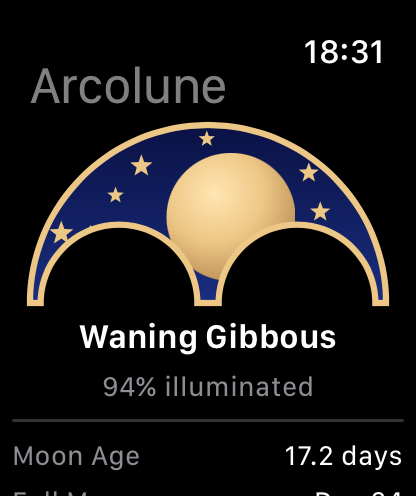
App home screen: waning gibbous moon in the classic window, 94% illuminated, moon age 17.2 days

The moon phase at a glance.

Illumination and moon age in one view.

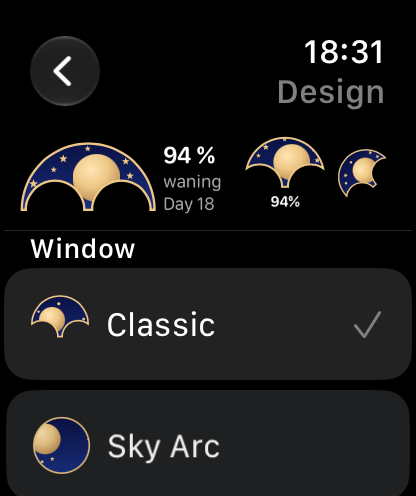
The design screen of the app with preview and the choice of Classic or Sky Arc

Just the way you like it.

Choose window and theme, a preview shows every change.

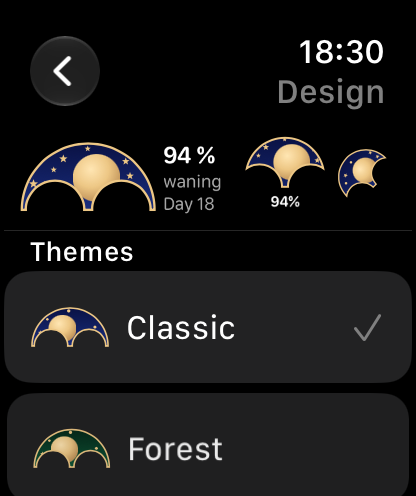
The theme list of the app with Classic and Forest

Six themes.

For a quick start, from Classic to Midnight.

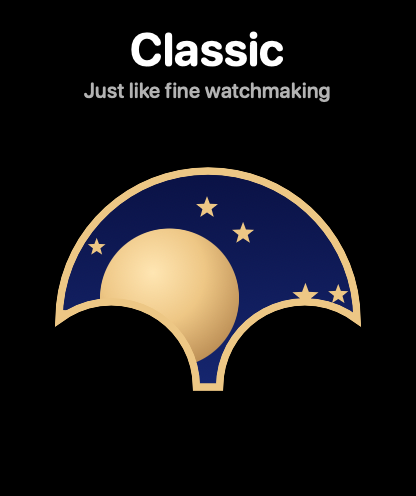
The classic moon window with two arches, golden moon on a midnight blue ground

Classic.

As in traditional watchmaking.

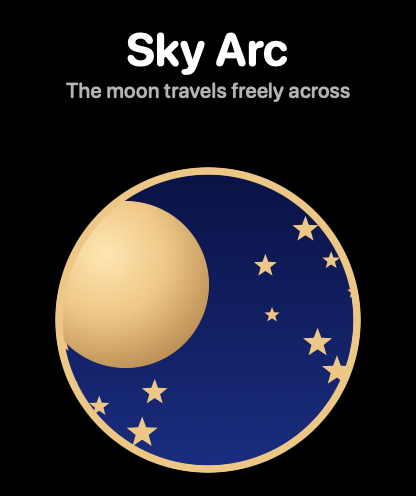
The Sky Arc: round night sky with a golden moon and stars

Sky Arc.

The moon travels freely across it.

Classic or modern

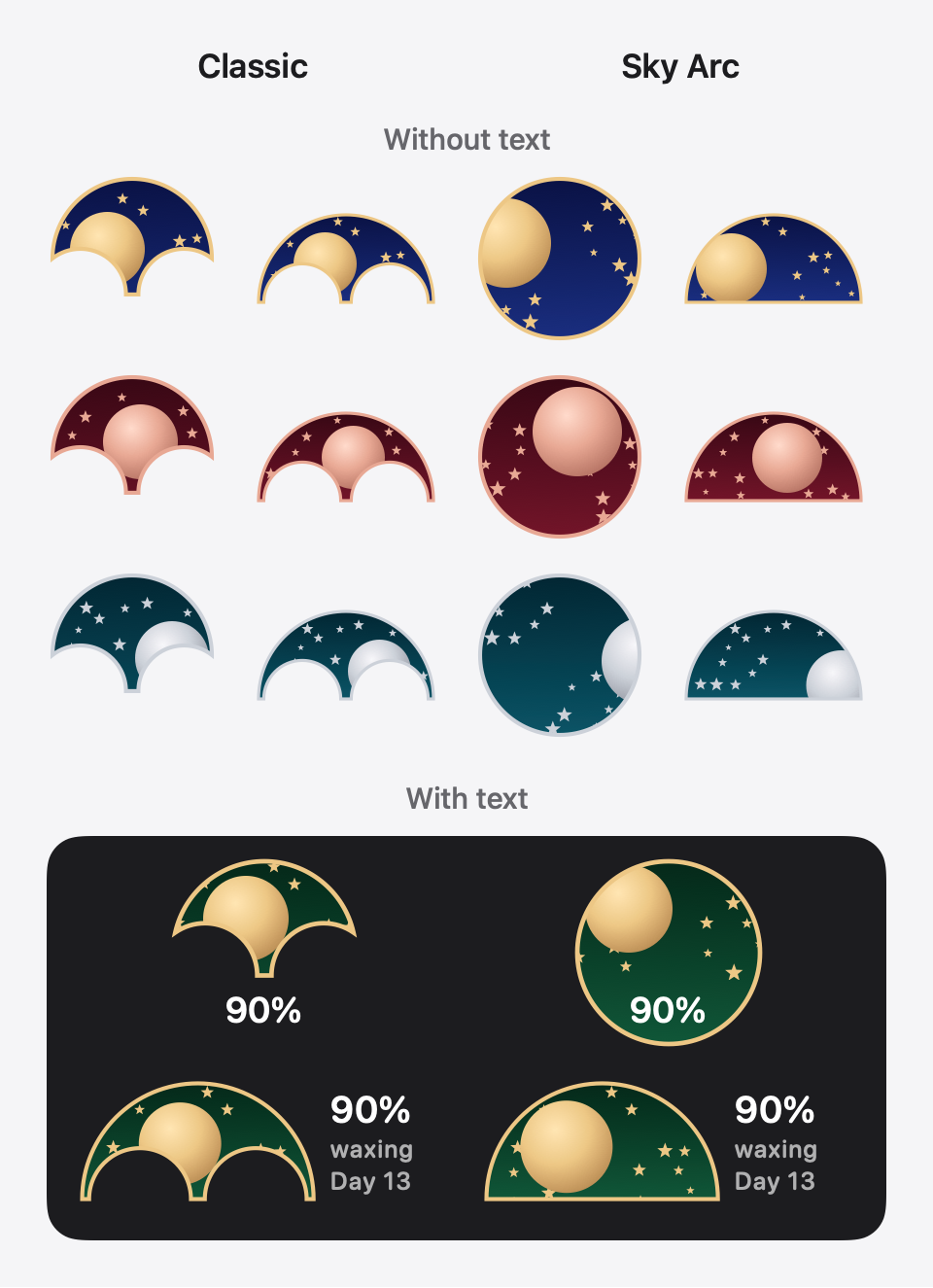
  • Classic – the familiar moon window with two arches, behind which the moon rises and sets, as in traditional watchmaking
  • Sky Arc – the modern variant: the whole circle becomes the night sky, and the moon travels freely across it
Comparison of the two window shapes in three themes: Classic with two arches on the left, Sky Arc on the right, each as a circular and a large widget, showing the same moon phase; below, a row with text (90%, waxing, Day 13)
Classic and Sky Arc side by side – same phase, same theme, without and with text.

Entirely in your colors

Design your moon phase so that it suits your watch face and your strap.

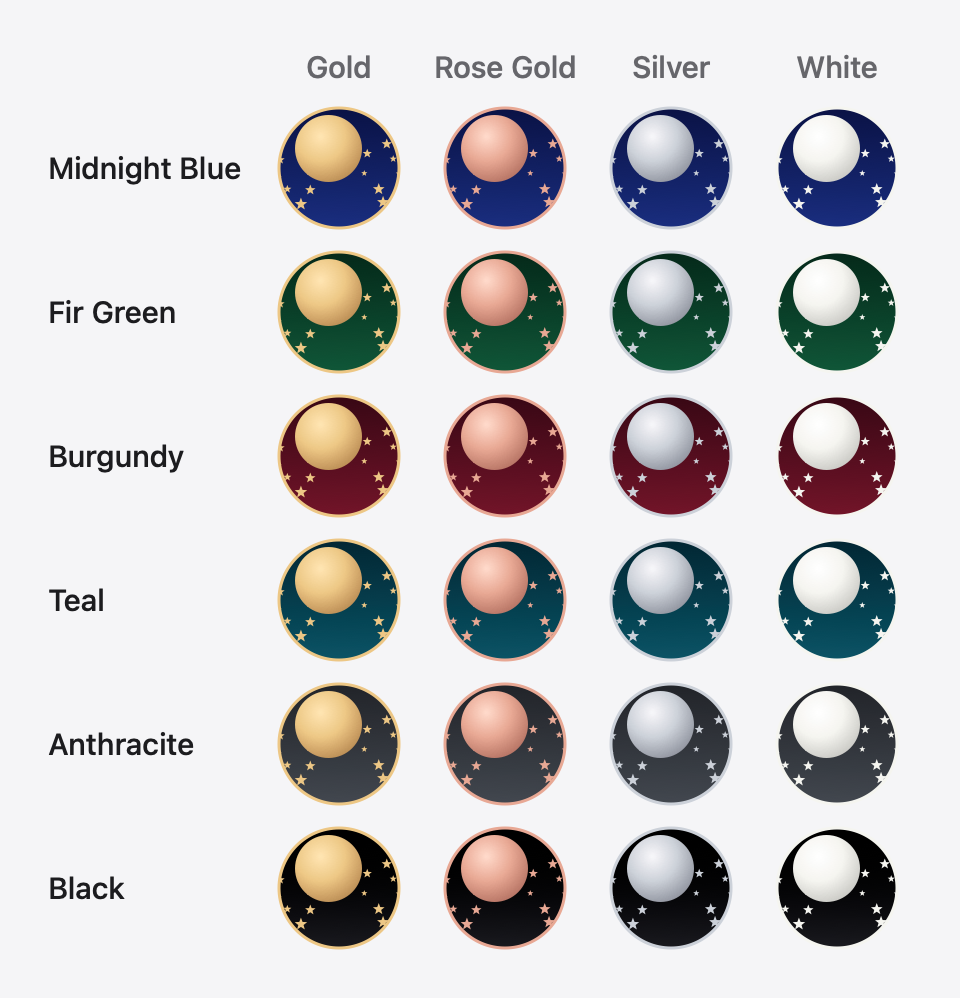
  • Six sky colors, from Midnight Blue and Fir Green through Burgundy and Teal to Anthracite and Black
  • Moon, stars and rim in Gold, Rose Gold, Silver or White
  • Background in White, Silver, Cream, matching the sky, or none
  • Many, few or no stars
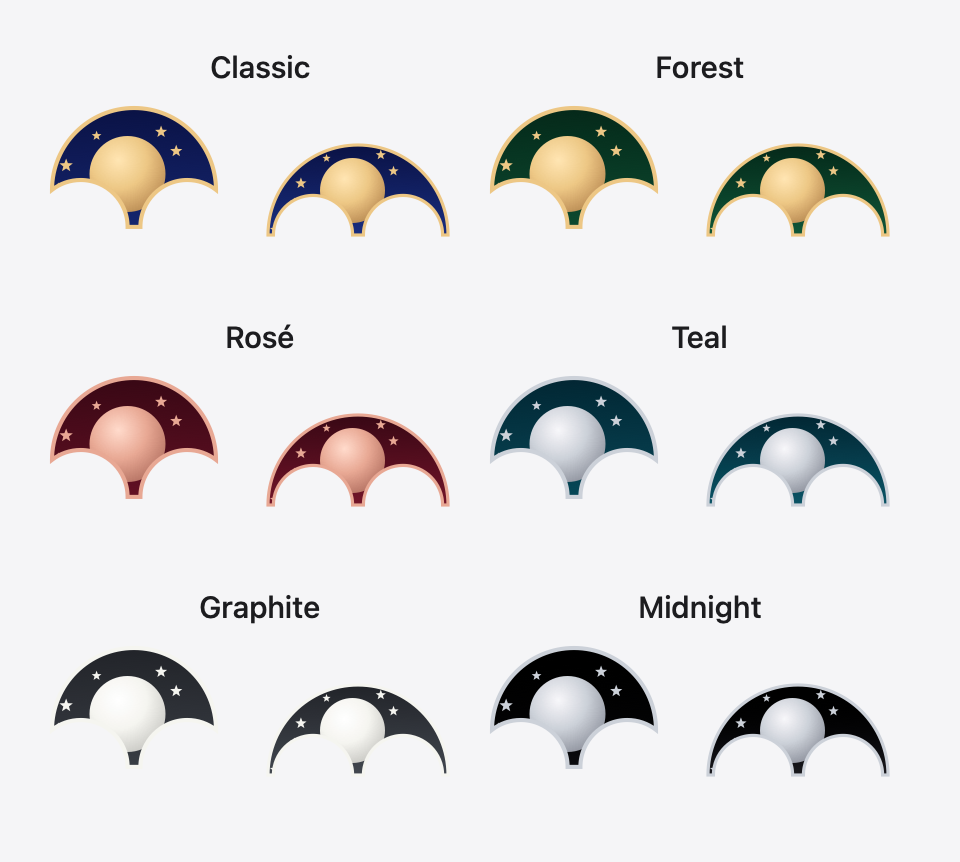
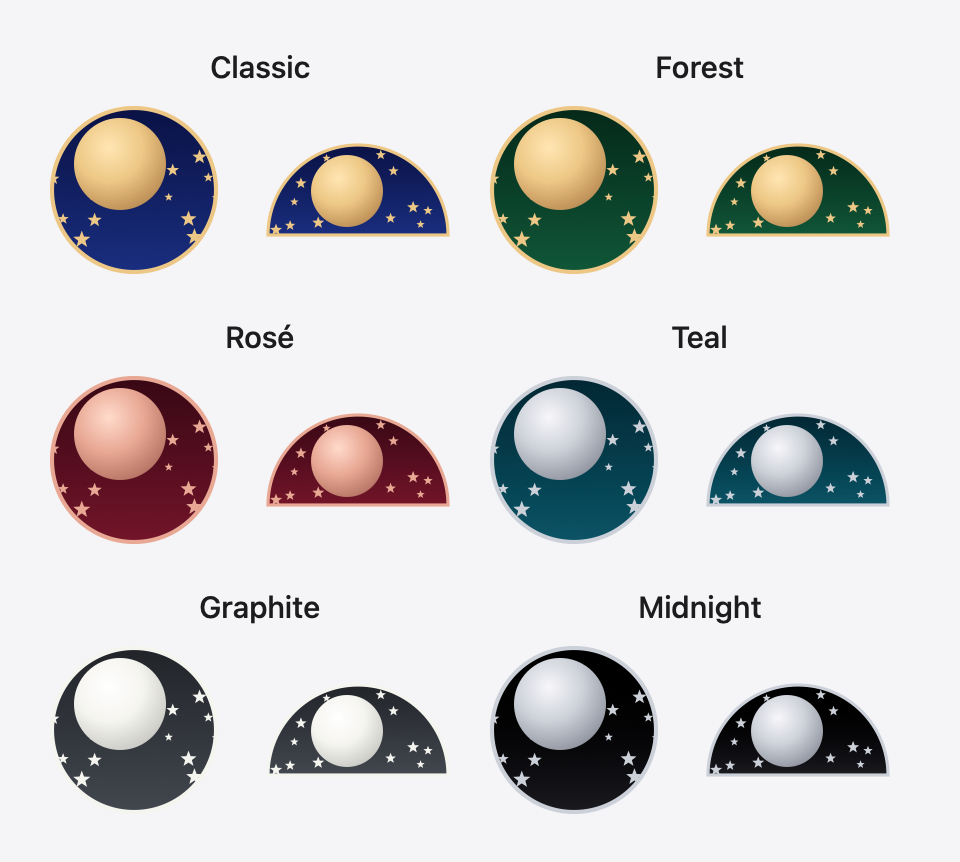
  • Six matching themes for a quick start – from “Classic” in midnight blue and gold to “Midnight” in black and silver
  • A preview shows every change immediately
The six themes Classic, Forest, Rosé, Teal, Graphite and Midnight in the classic window, each as a circular and a large widget
The six themes in the classic window.
The six themes Classic, Forest, Rosé, Teal, Graphite and Midnight as Sky Arc, each as a circular and a large widget
The same six themes as Sky Arc.
Grid of six sky colors, from Midnight Blue to Black, each in four metal colors: Gold, Rose Gold, Silver and White
Six sky colors in Gold, Rose Gold, Silver and White.

On the watch face

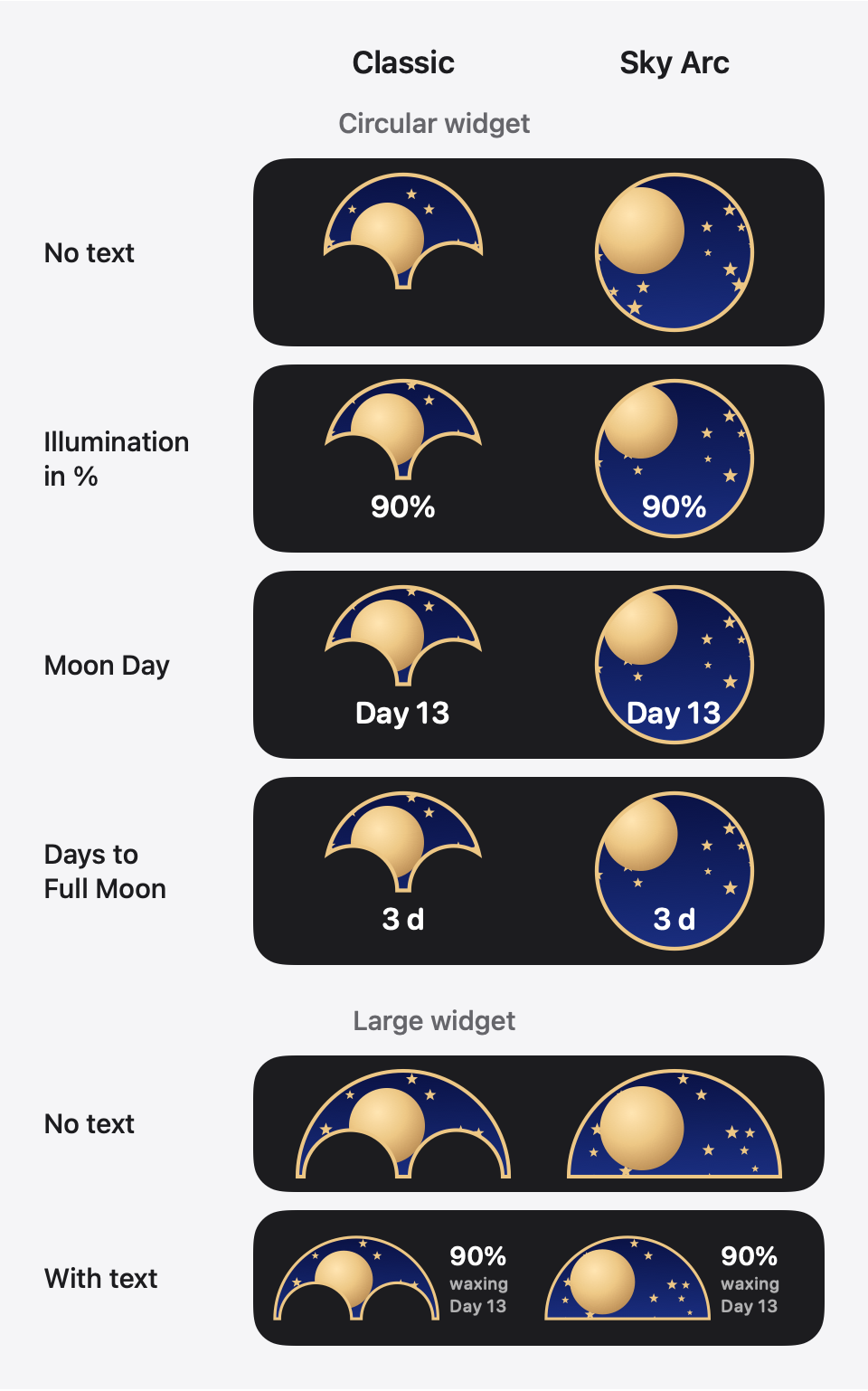
  • Circular widget with the moon phase in a circle
  • Large widget with moon window, illumination and moon day
  • With text if you like: illumination in percent, moon day or days to full moon
  • Also adapts to tinted and single-color watch faces
The text options for Classic and Sky Arc: the circular widget without text, with illumination in percent, with moon day and with days to full moon, below it the large widget without and with text
With text if you like – illumination in percent, moon day or days to full moon.
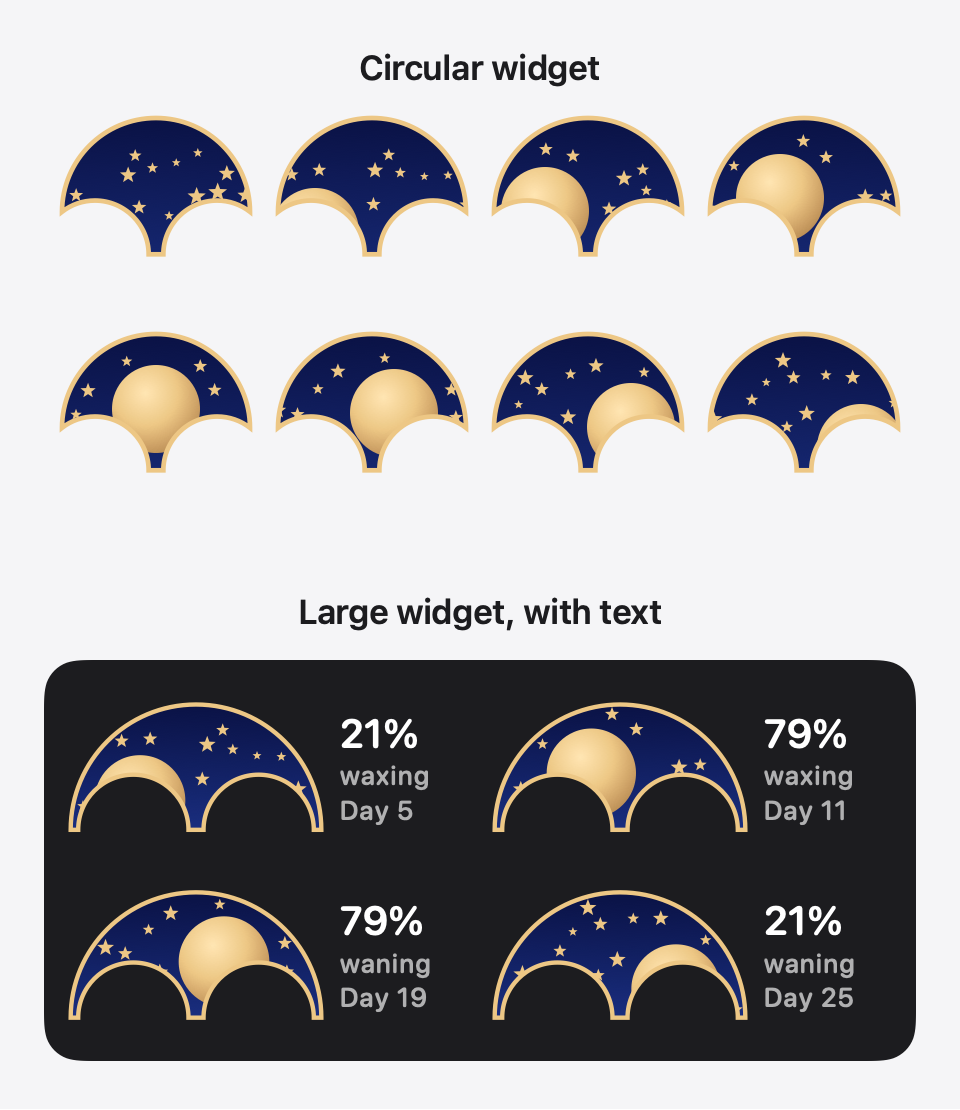
Eight moon phases from new moon to a waning crescent in the classic window as a circular widget, plus four large widgets with text: illumination in percent, waxing or waning, and moon day
The moon in the classic window, once through the cycle.
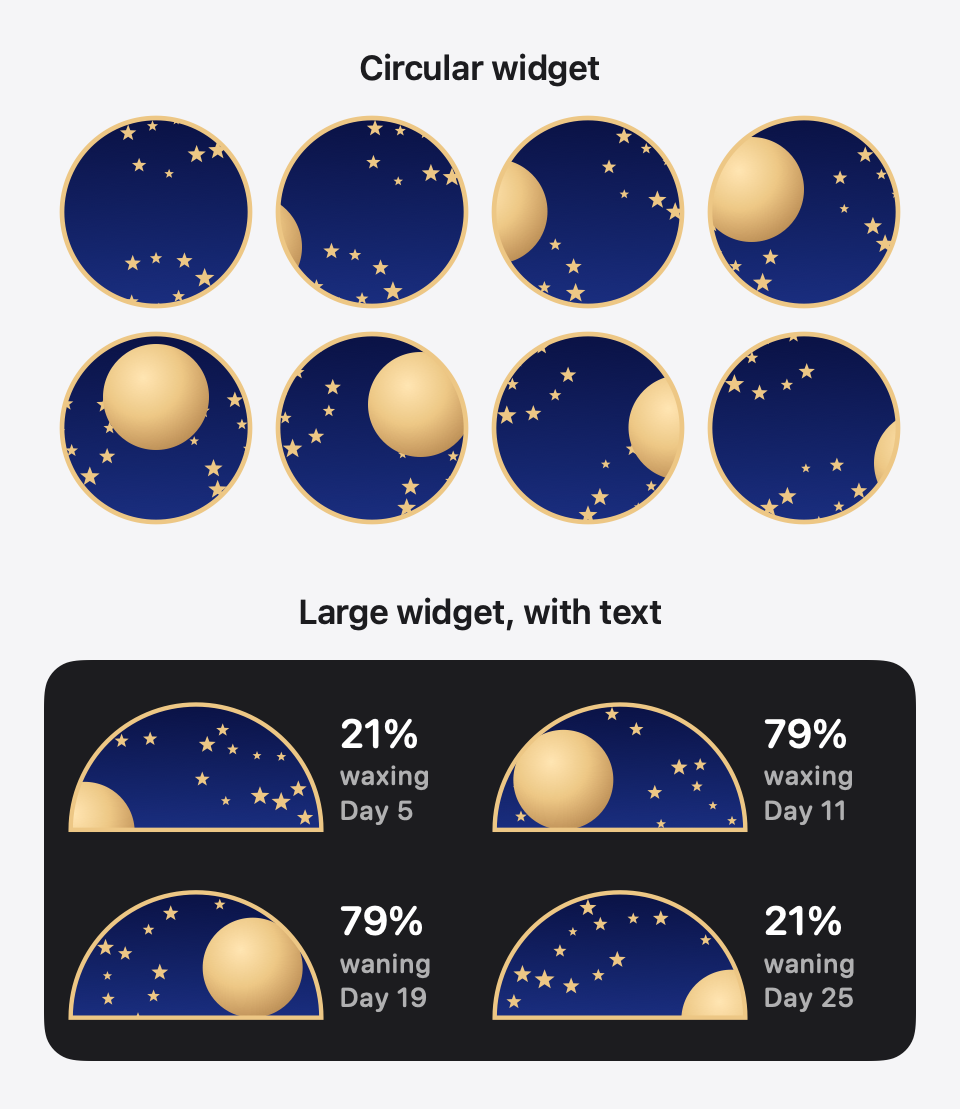
Eight moon phases from new moon to a waning crescent as Sky Arc as a circular widget, plus four large widgets with text: illumination in percent, waxing or waning, and moon day
As Sky Arc the moon travels freely across the window.
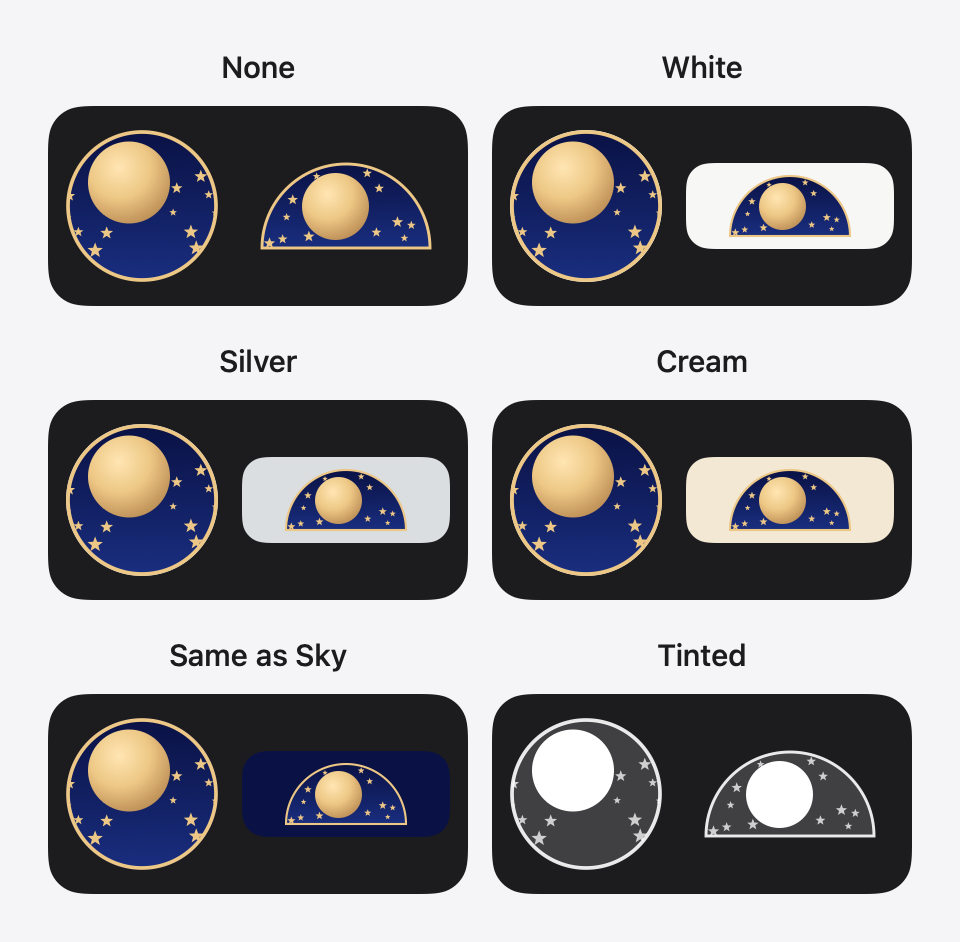
Sky Arc as a circular and a large widget on a dark watch face: with no background, with a background in white, silver, cream or sky color, and in the tinted look
Background in White, Silver, Cream or the sky color – and tinted.

In the app

  • The current moon phase in large view, with illumination and moon age
  • Date of the next full moon and new moon

Just you, your watch and the moon

Arcolune calculates the moon phase right on your watch. No internet, no account, no location and no data collection.

Buy once, enjoy for good. No subscription.

Support

Questions or problems? Write to tocard@akkufischer.de.

How do I add the widget to my watch face?

On your watch, touch and hold the watch face, tap Edit and choose a slot for a widget (complication). Pick Arcolune there. There is a circular and a large widget.

How do I change the design?

Open the Arcolune app and tap Customize. There you choose one of the six themes or set the sky color, the color of moon, stars and rim, the background and the number of stars yourself. A preview shows every change immediately. If you like, the widgets also show text: illumination in percent, moon day or days to full moon.

What is the difference between Classic and Sky Arc?

It is the shape of the moon window. With Classic, the moon rises and sets behind two arches, as on a mechanical watch. With Sky Arc, the whole circle becomes the night sky and the moon travels freely across it. You set this in the app under Window.

Does Arcolune need internet?

No. Arcolune calculates the moon phase right on your watch. It needs no internet, no account and no location.

Where is my data stored?

Arcolune collects no data. Your settings stay on your devices only. More in the privacy policy.